


Malwarebytes - Mobile Security
4.441.62K Reviews
App Specs
- Version
- 5.25.0+560
- Updated On
- License
- Free
- Downloads
- 50,000,000+
- Developer
- Malwarebytes
- Categories
- Tools
- Platform
- Android, iOS
Screenshots


 Analysis by AppCompare
When I decide whether a phone needs another security app, I start with a practical question: what do I want it to do that the phone’s built-in protections and my own habits do not already cover? A scanner, help checking app permissions, and protection against risky browsing are different jobs, and no single tool makes careless taps harmless. I find Malwarebytes Mobile Security most interesting for people who want those checks gathered in one place rather than treated as separate chores.
It is a free security and privacy tool from Malwarebytes, with optional in-app purchases ranging from $1.49 to $139.99 per item. The app is rated for Everyone, and its current version is 5.20.0+505. It has a 4.5 average from around 600,000 ratings and more than 10 million installs, which suggests it has reached a large audience, though popularity alone cannot tell you whether its protections match your needs.
Choose it for a workflow, not a promise
I would judge a mobile security app by how it fits into ordinary phone use: whether I can understand its warnings, whether a scan is easy to run when I am concerned, and whether its privacy checks prompt useful action. Malwarebytes is a Tools app, and that framing feels right to me. It is best approached as a set of checks and safeguards, not as a reason to stop thinking before opening a link or installing an app.
That distinction matters when comparing it with the usual alternatives. A phone’s built-in security features may be enough for someone who installs few apps, keeps the system updated, and is comfortable reviewing settings themselves. A dedicated security app can be more appealing if you want a visible place to check device status and permissions. Meanwhile, a standalone VPN or a specialist privacy tool may suit someone whose main concern is only one of those areas. I would choose based on the gap I actually want to fill, not on the broadest feature list.
Where its all-in-one approach helps
The appeal here is convenience: the app’s store summary presents antivirus, malware, privacy, and VPN protection together. For me, that combination is useful when I want a regular security check and a reminder to think about app access without juggling several tools. Malwarebytes was released on October 15, 2013, and its continued presence in the category gives it a familiar name, but I would still assess the current app by what I can use on my own device rather than by reputation.
One useful habit is to treat a permission review as a decision-making session, not just a tour of settings. If an app has access to location or contacts, ask whether that access makes sense for what you use it for; if not, review the permission in the phone’s settings and decide whether changing it would break something you rely on. A security app can make the question easier to notice, but I would not assume every access is automatically suspicious.
I would also use a scan at moments when it can guide a concrete next step: after installing an app from a source I do not usually use, after seeing an unexpected warning, or when helping a less confident family member check their phone. A scan is not a certificate that every possible risk is gone. It is a useful check-in, and its value comes from responding sensibly to any result rather than tapping through and forgetting it.
Worth Reading Before You Choose

Flipboard Shows What News Apps Must Do Beyond the Feed

Switching to Android Auto Means Rethinking Your Driving Routine

Google Calendar Makes a Crowded Week Easier to Manage

Ludo King Makes the Most of the Minutes Between Plans

Baby Panda World Brings Quick Play to Modern Phones, but Its Game Library Feels Busy

ESPN’s Live Game View Makes Following Close Games Easier
What to weigh before switching
There is a real trade-off in choosing an all-in-one security app. A single interface can be easier to keep up with, but it may not be the best fit if you want fine-grained control over one particular task. If your main goal is managing network traffic, for example, you may prefer to compare dedicated VPN options directly; if you mainly want to review app access, the operating system’s own permission controls may be enough. I would not pay for a wider bundle unless I expected to use more than one part of it.
Before installing any security app, I also think about overlap. Running several tools that claim similar protections can create confusing alerts and make it harder to know which one is responsible for a warning. I would start with one approach, learn what its alerts mean, and only add another tool if I can name a specific need it addresses. That keeps the phone’s security routine understandable instead of turning it into a stack of dashboards.
Getting Started with Malwarebytes Mobile Security
First things first, downloading and setting up Malwarebytes Mobile Security was a breeze. It's available on both Android and iOS, so no worries about compatibility. Just a quick search in your app store, a tap to download, and you're good to go.
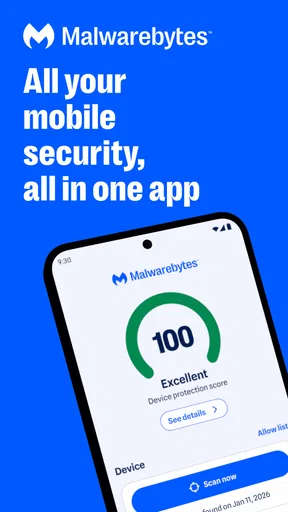
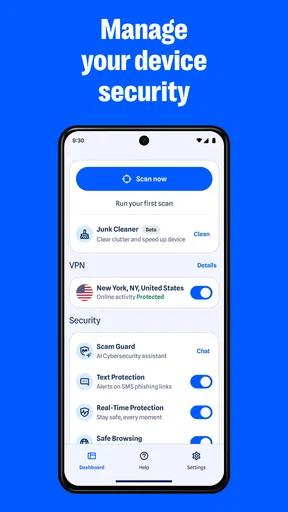
Once installed, the app greets you with a clean, easy-to-navigate interface. I’m all for apps that don't make me feel like I need a degree in cybersecurity to use them, and Malwarebytes nails it in that department. The home screen gives you a straightforward overview of your phone's security status, which is super helpful.
Features That Stand Out
Let’s dive into some features. The real-time protection is a game changer. It actively scans for threats as you go about your daily phone activities. You know those sketchy links you sometimes get in emails or texts? Malwarebytes is on top of that, blocking potential threats before they can wreak havoc.
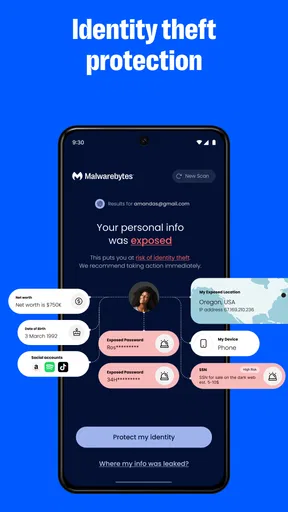
Another feature I’ve come to love is the privacy audit. With so many apps asking for permissions these days, it’s hard to keep track of what’s accessing your data. Malwarebytes helps you manage app permissions, giving you a clear view of which apps have access to your contacts, location, and more. It’s like having a bouncer for your phone's data.
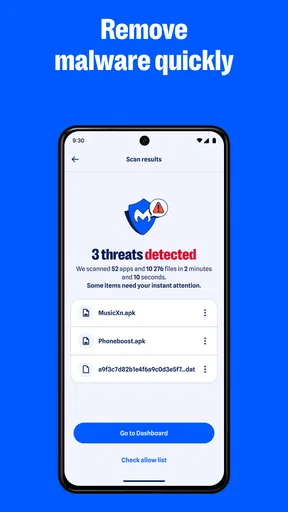
For those times when you feel like something's off, the app's scanner is your go-to tool. Just hit scan, and it goes through your device with a fine-tooth comb, checking for malware, ransomware, and other threats. The peace of mind this brings is invaluable.
Performance and Usability
In terms of performance, I’ve noticed zero lag or battery drain with Malwarebytes running in the background. This was a pleasant surprise because, let’s face it, nobody wants an app that slows down their phone.
The usability is top-notch. Whether you’re tech-savvy or not, navigating through the app is intuitive. The settings allow you to customize your experience, enabling or disabling notifications and scanning schedules to suit your needs.
Is Malwarebytes Worth It?
So, is Malwarebytes Mobile Security worth downloading? In my opinion, absolutely. In a world where digital threats are becoming more sophisticated, having an app like Malwarebytes on your side is a no-brainer. It’s reliable, efficient, and doesn’t demand much from your phone’s resources.
Plus, the app is free with the option for a premium version that offers additional protection features. If you’re someone who likes to go the extra mile for security, the premium features are worth exploring.
In conclusion, if you’re looking for a robust security app that’s easy to use and packs a punch, Malwarebytes Mobile Security is definitely worth checking out. It’s like having a personal bodyguard for your phone, ensuring that your data and privacy are always protected. Give it a try, and you might just find yourself sleeping a little easier at night.
A realistic routine for using it
Imagine getting a message that claims a delivery needs attention and includes a link. I would not rely on any app to make that situation risk-free: I would avoid opening the link, check the sender through a separate trusted route, and use the app’s protection or scan tools as another layer of caution. That is where a security app is most helpful to me—not as permission to click, but as support for better decisions when a message is trying to rush me.
For a new phone, I would first get the operating system and apps up to date, then review the security status and permissions after installing the apps I actually use. That gives the privacy audit context: a permission list is easier to act on when I recognize the apps on it. I would revisit it after adding a few new apps rather than checking it every day; frequent reviews without a reason can become noise and make it tempting to approve prompts automatically.
If an alert appears, I would read what it identifies before removing anything or changing settings. A warning should lead to a deliberate decision, not panic. If the app points to something unfamiliar, I would check whether I installed it and whether I still need it, then use the phone’s controls to take the next step. This small workflow is more useful than treating every alert as proof that the phone has been compromised.
Platform and subscription considerations
The app is available for Android and iOS, but security tools can work differently across operating systems because each platform controls what apps are allowed to inspect or change. I would therefore judge the experience on the phone I actually own instead of assuming every feature behaves identically on both. The listed minimum operating-system requirement is version 9, so I would check my device’s software version before planning an installation.
The free starting point makes it reasonable to explore the interface before deciding whether an upgrade makes sense. In-app purchases span a broad range, so I would check the exact offer shown in the app and what it includes before paying; the presence of a purchase option does not mean every user needs it. If the free tools already cover the checks I plan to use, I would stay there. If I am considering a paid tier, I would first identify the specific extra protection I expect to rely on and compare that need with a dedicated alternative.
Switching from another security app is also less complicated when I do it in a deliberate order. I would review what the current tool handles, decide which tasks I want Malwarebytes to take over, and avoid leaving overlapping protection active without a reason. Then I would learn the new app’s alerts and settings before depending on it as part of a routine. The goal is not to collect security apps; it is to know which tool is responsible for which job.
Who should look elsewhere
I would skip this app if I want a security tool to guarantee that every harmful link or file will be caught. No app can remove the need to keep software current, be cautious with unexpected messages, and question requests for sensitive information. It may also be unnecessary for someone who already has a simple, trusted routine built around their phone’s built-in protections and has no interest in a separate security dashboard.
Likewise, someone seeking only one narrow function should compare focused tools rather than assume a bundle is automatically better. A person who wants just a way to review permissions can begin with the operating system’s settings; someone focused on VPN use should compare VPN offerings on their own terms. Malwarebytes makes the most sense to me when the convenience of having several kinds of checks together outweighs the extra app and the possibility of paid features.
Overall, I recommend trying it if you want an approachable place to check your phone’s security and privacy, and you are willing to treat its warnings as prompts for sensible action. I would not install it just because a phone feels slow, since performance problems can have many causes unrelated to malware. For a cautious user who wants a clear security routine, Malwarebytes is a practical option; for someone with a narrow need or a setup they already understand, a built-in control or a more specialized tool may be the better choice.
Pros
- Easy-to-use interface for all users.
- Real-time protection against threats.
- Minimal impact on device performance.
- Regular updates with latest security.
- Comprehensive privacy audit feature.
Cons
- Limited features in free version.
- Occasional false positive alerts.
- Needs constant internet connection.
- Premium version can be expensive.
- Some features require manual setup.
FAQs for Malwarebytes - Mobile Security
What features does Malwarebytes Mobile Security offer?
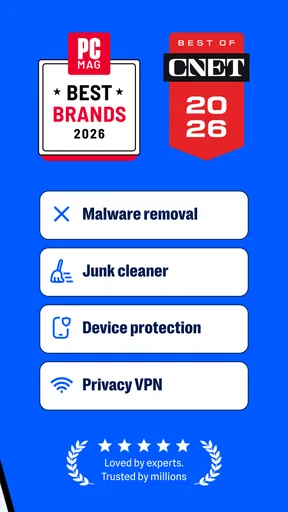
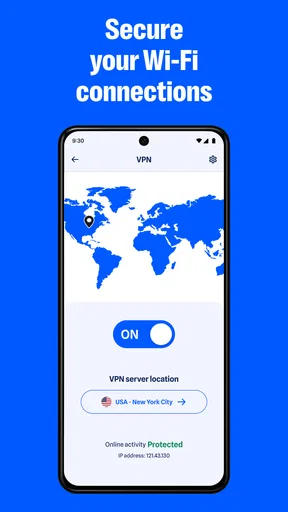
Malwarebytes Mobile Security provides comprehensive protection against malware, ransomware, and phishing attacks. It includes real-time scanning, privacy audits, and app manager features. Additionally, it offers safe browsing with a VPN and detects potentially unwanted programs. Its user-friendly interface makes it easy to navigate and manage your device's security.
Is Malwarebytes Mobile Security free to use?
Malwarebytes offers a free version with basic features such as malware scanning and privacy audits. However, to access premium features like real-time protection, anti-ransomware, and advanced security options, a subscription is required. The premium version provides a more robust and comprehensive security solution.
How does Malwarebytes Mobile Security impact device performance?
Malwarebytes Mobile Security is designed to have minimal impact on your device's performance. The app runs efficiently in the background without causing noticeable slowdowns. It optimizes scanning processes to ensure that your device remains responsive and that battery consumption is kept to a minimum.
Can Malwarebytes Mobile Security detect and remove all types of malware?
Malwarebytes Mobile Security is highly effective at detecting and removing various types of malware, including viruses, ransomware, and spyware. However, no security solution can guarantee 100% detection and removal rates. Regular updates and scans are recommended to maintain optimal protection against new threats.
Is Malwarebytes Mobile Security easy to use for beginners?
Yes, Malwarebytes Mobile Security is designed with a user-friendly interface that makes it accessible for beginners. The setup process is straightforward, and the app provides clear guidance on how to use its features. With intuitive navigation and easy-to-understand options, users can quickly learn how to protect their devices.


